
...
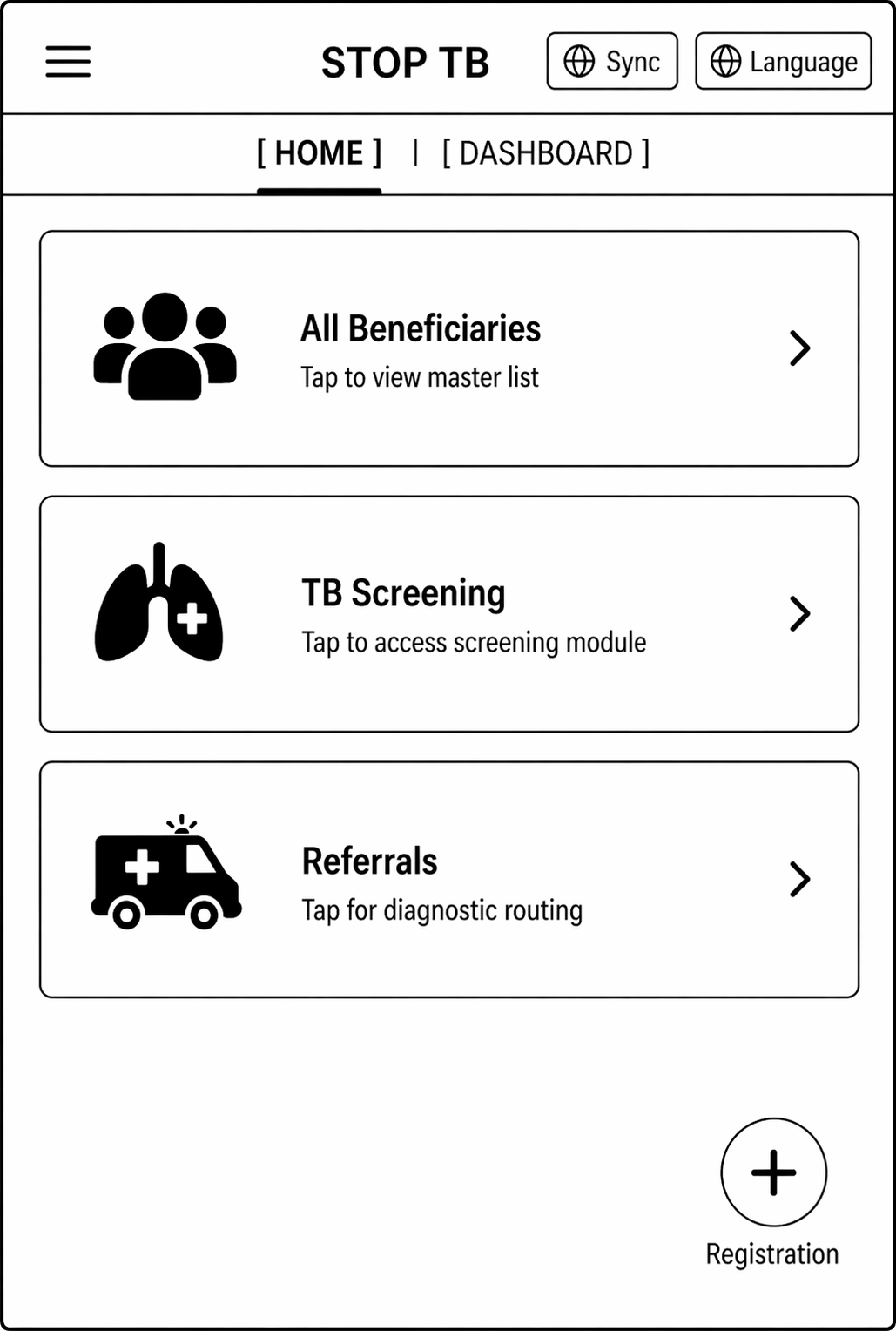
- Should contain three modules/ Cards- All Beneficiaries, TB screening, Referrals written on these cards.
- On clicking "All Beneficiaries" card- open the "Beneficiary module" form documented below (section 2.2.1) for registering the beneficiary by giving the floating "Registration" button in the right corner.
- On clicking "TB" card- open the "Tuberculosis module" (section 2.2.2). On clicking the next screen, it should have 3 cards titled "TB Screening", "Suspected TB cases" and ""Confirmed TB cases".
- On clicking "Referrals"- The next screen should have cards titled, "Digital Chest X-ray", "Truenat", "Liquid Culture", "Health and Wellness Centre". These cards will enlist patients for a particular type of testing. Beneficiaries who are pregnant will be shown directly in "Truenat". All beneficiaries who are not pregnant are shown in "Digital Chest X-ray" and if any abnormality is detected on chest x-ray then that beneficiary is further referred for Truenat testing. All beneficiaries who have high blood pressure and high random blood sugar will be shown in "Health and Wellness Centre" card.
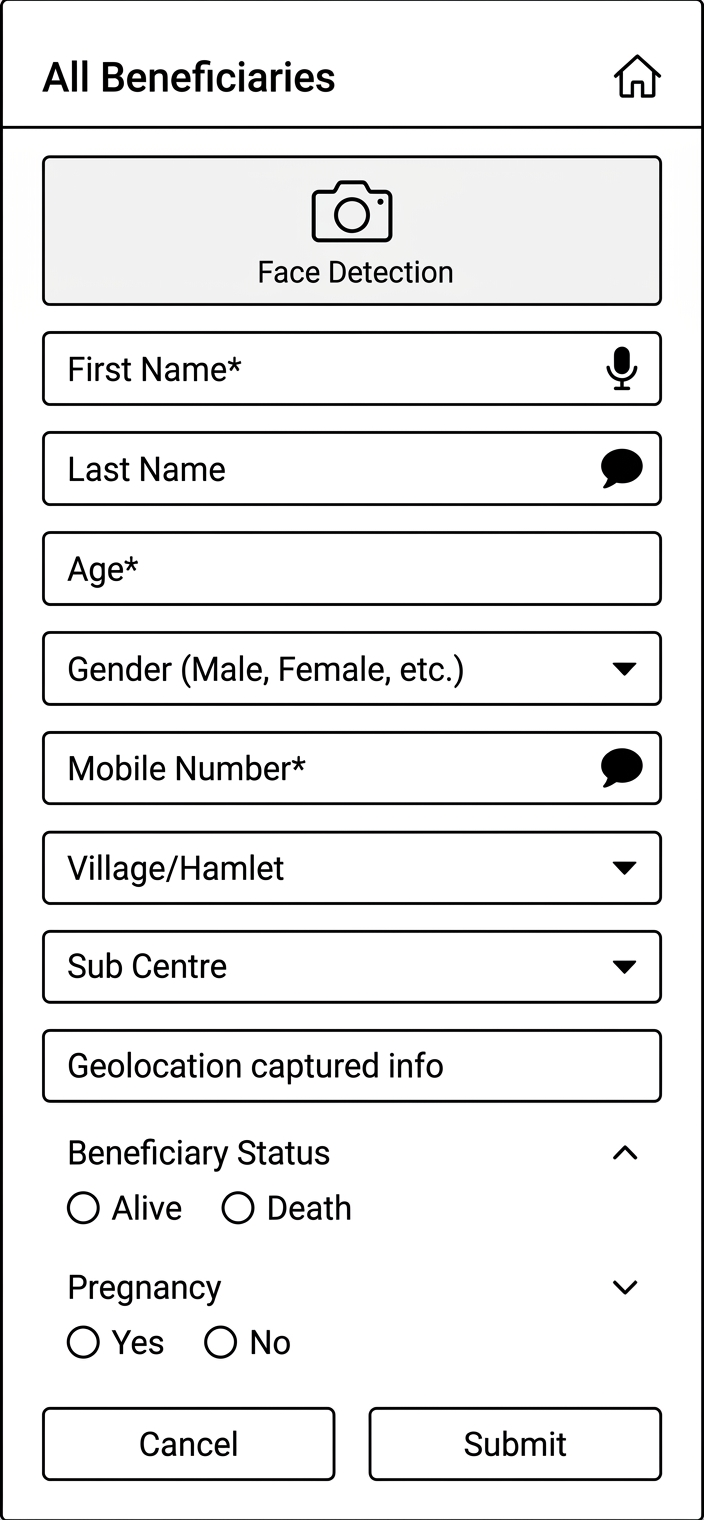
2.2.1 Module - Beneficiary Registration
...