
...
AC-REG-03: Given 'Mobile number not available' is checked, When the form is submitted, Then the system stores 9999999999 as the primary phone number.
4.4 Anthropometry Screen
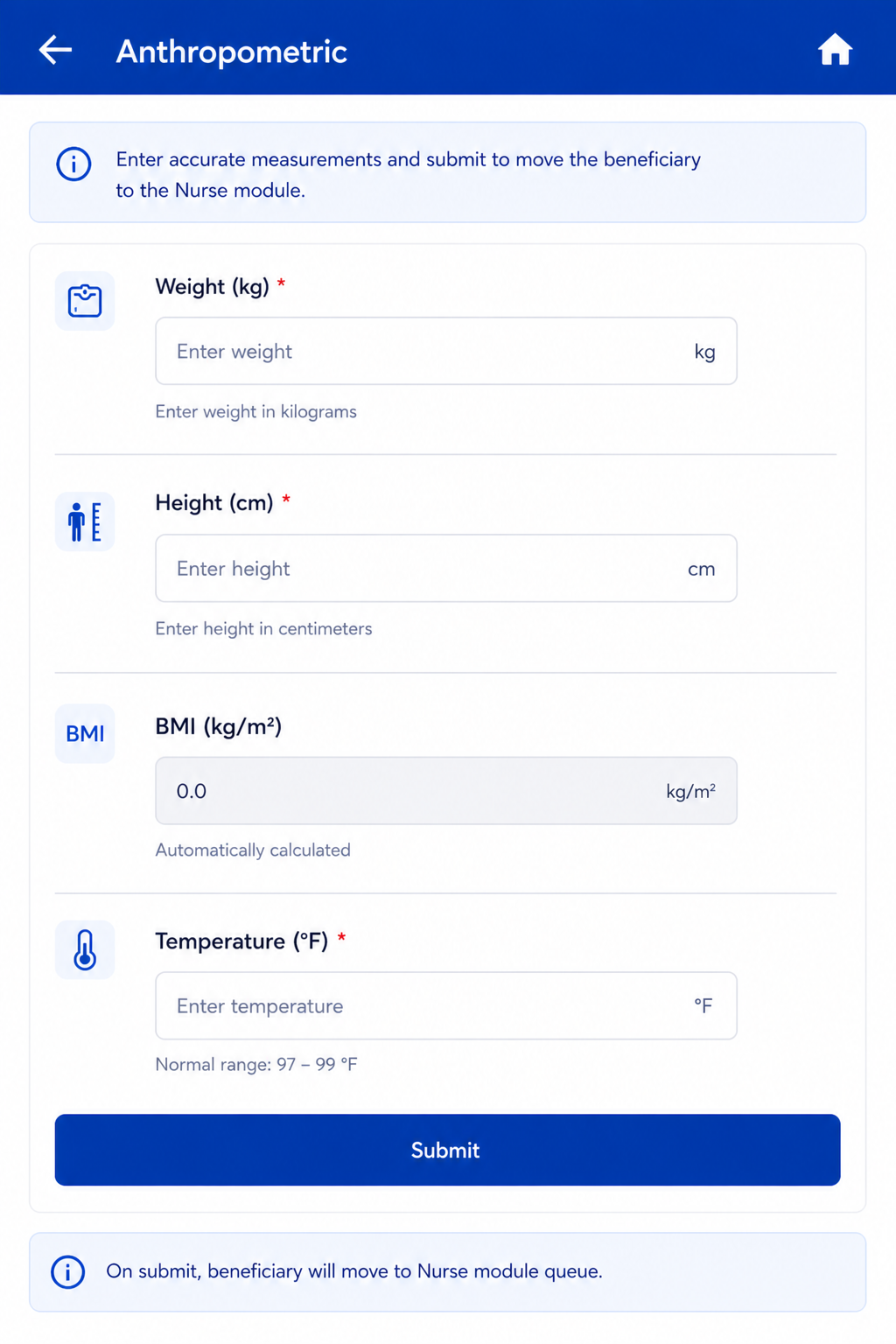
Follows immediately after Registration Submit. Same actor: Registration Officer. On Anthropometry Submit → Beneficiary moves to Nurse module queue.
...
Field Name | Input / Type | Options / Values | Logic & Validations |
Weight (Kgs) | Number input | Numeric | Numeric; 1 decimal place allowed. |
Height (cms) | Number input | Numeric | Numeric; 1 decimal place allowed. |
BMI = Weight / (Height/100)² | Auto-calculated (read-only) | Calculated value | Auto-calculated when both Height and Weight are entered. Formula: Weight ÷ (Height ÷ 100)². Display to 1 decimal place. Non-editable. |
Temperature (Degree Fahrenheit) | Radio + free textbox | Free textbox also provided for manual entry. Normal range shown: 97–99°F. If >= 100 selected → show alert 'Refer to Health and Wellness Centre' and show beneficiary in Referral card on Home. | |
Submit | Button | — | Beneficiary moves to Nurse module queue. |
5. Nurse Flow
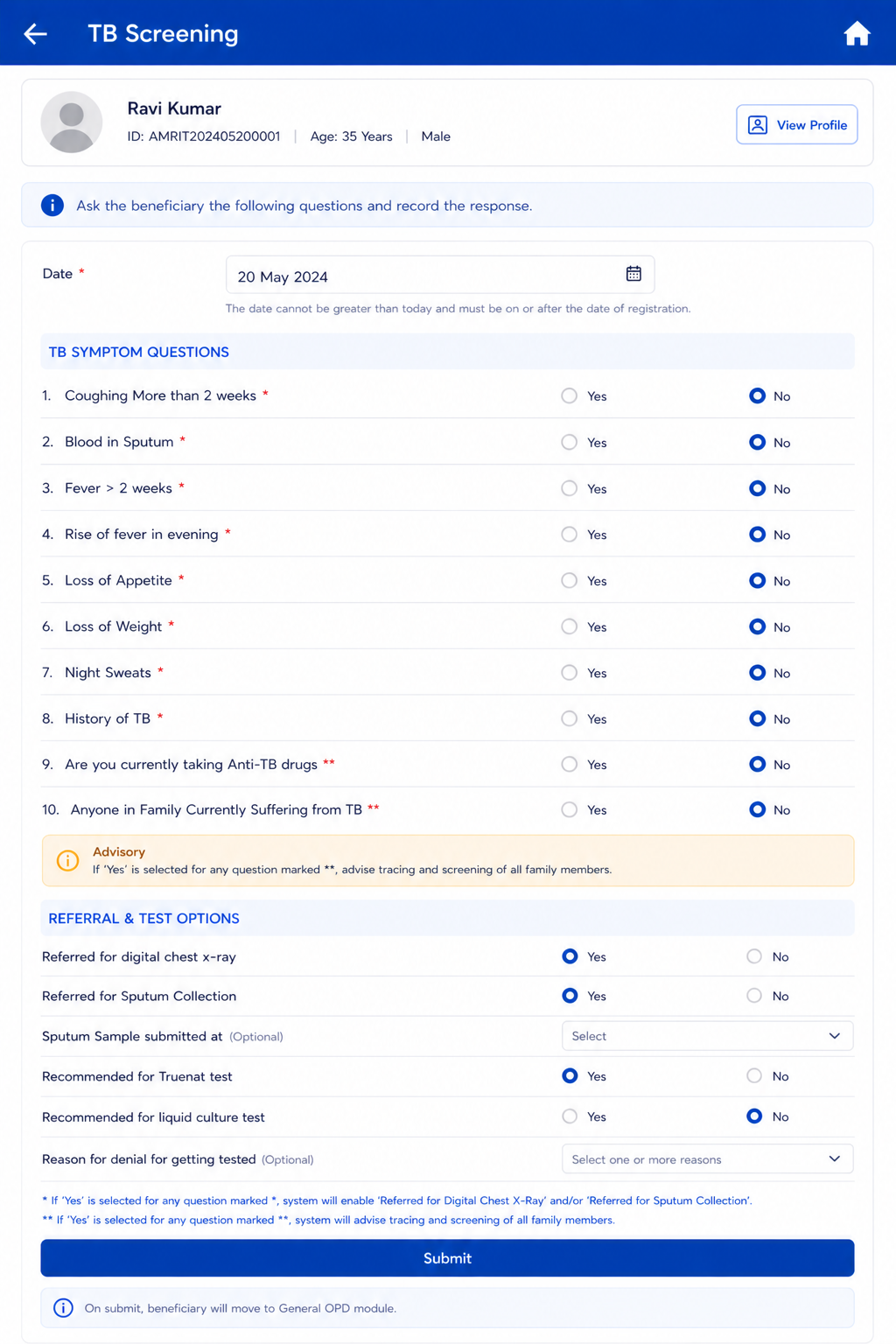
Once a beneficiary is registered and anthropometry is completed, they appear in the Nurse module queue. The Nurse role covers four sequential screens: General Examination → TB Screening → General OPD (optional/skippable) → Diagnostics Screen.
...
AC-TB-04: Given History of TB = Yes AND Anti-TB drugs = Yes AND Sputum = Yes, When submitted, Then 'Recommended for liquid culture test' is enabled and the beneficiary appears in the Liquid Culture referral card.
5.3 General OPD Module
...
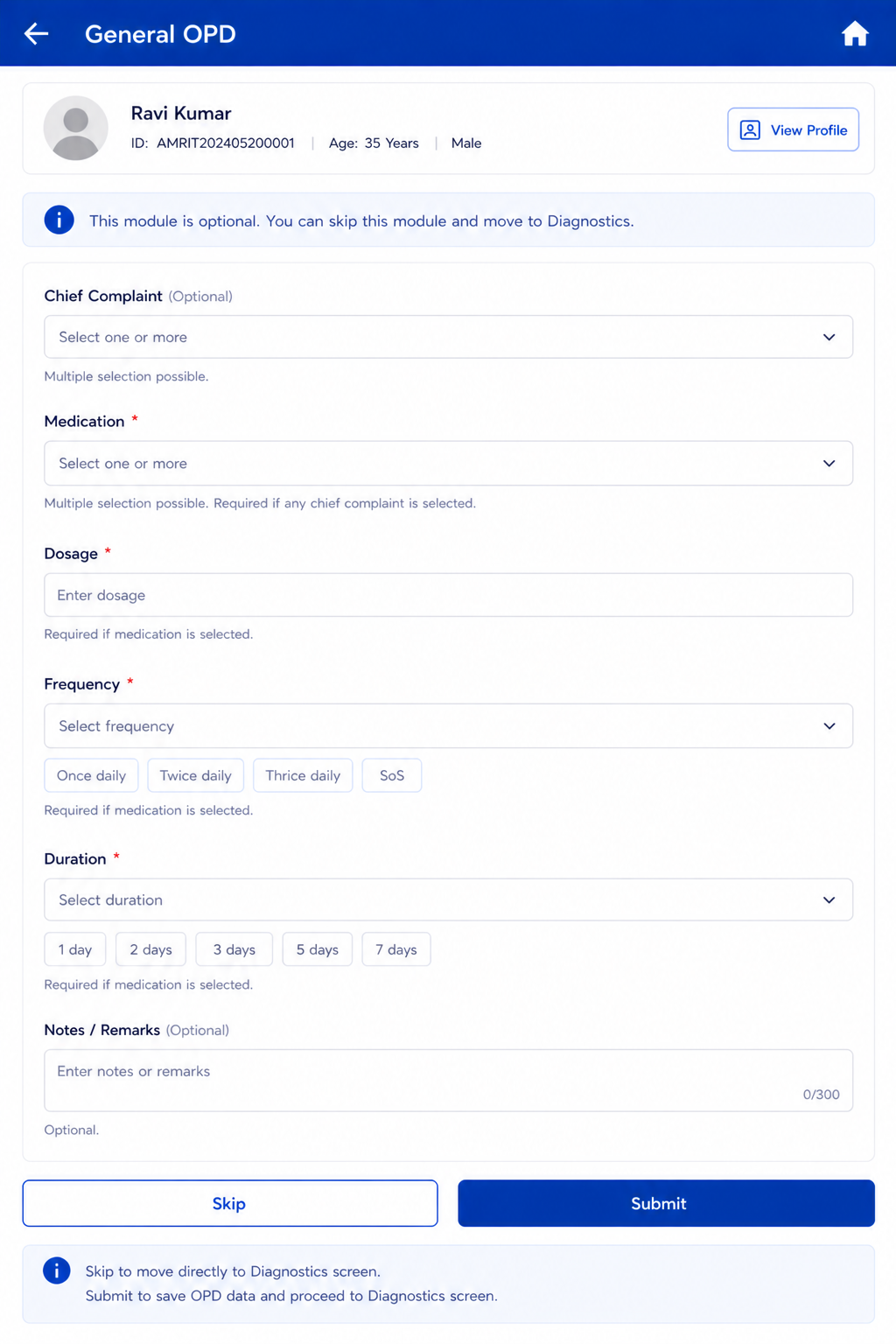
AC-OPD-02: Given the nurse clicks Skip with no data entered, When navigated away, Then no OPD record is created and the beneficiary moves directly to the Diagnostics screen.
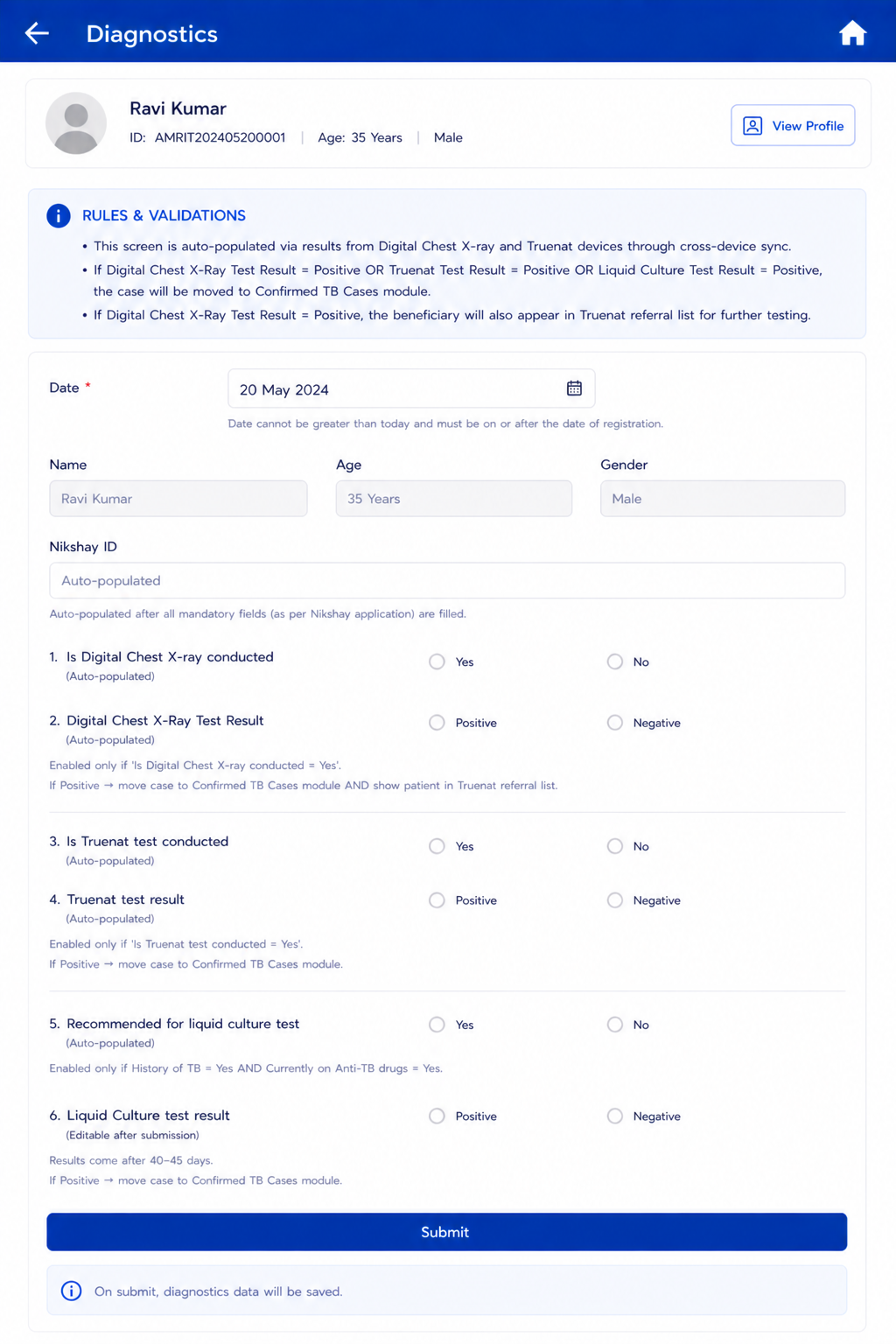
5.4 Diagnostics Screen
...
AC-DIAG-03: Given Truenat test result = Positive is recorded, When saved, Then the beneficiary record is moved to 'Confirmed TB Cases' module.
6. Tuberculosis Module — Three Screens
...
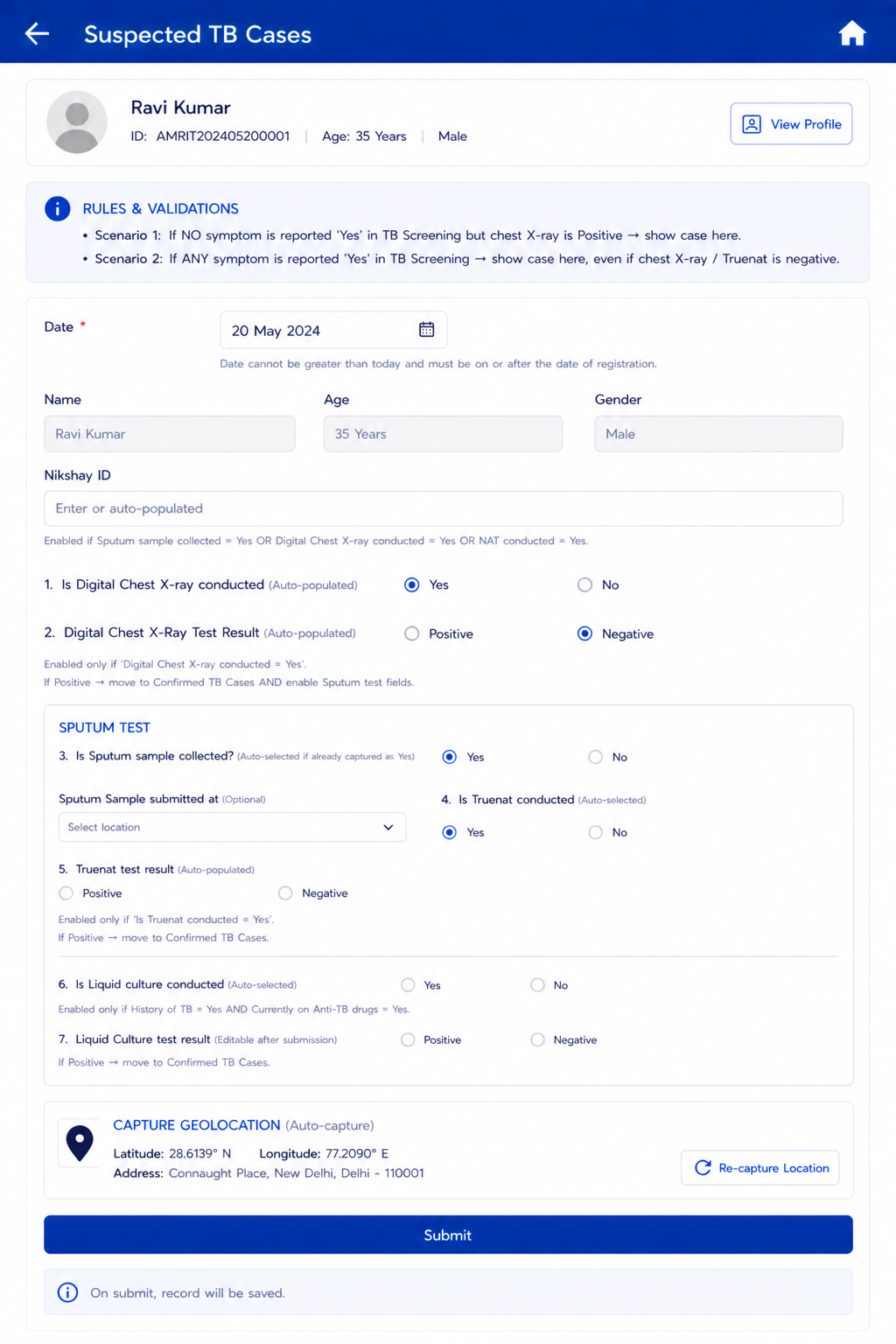
Field Name | Field Type | Options / Values | Validation / Logic / Condition |
Date | Calendar / Date Picker | Date | Mandatory. Default: Today's Date. Not greater than Today's Date. Accept date >= Date of beneficiary registration. Not editable once submitted. |
Name | Textbox (read-only) | Auto-filled | Auto-fill from Beneficiary details. Shows First Name + Last Name. Read only. |
Age | Textbox (read-only) | Auto-filled | Auto-fill from Beneficiary details. Read only. |
Gender | Textbox (read-only) | Auto-filled | Auto-fill from Beneficiary details. Read only. |
Nikshay ID | Textbox | Auto/Manual | Enable if 'Is Sputum sample collected = Yes'; OR 'Digital Chest X-ray conducted = Yes'; OR 'NAT conducted = Yes'. |
Is Digital Chest X-ray conducted | Radio / Auto | Yes | No | Auto-selected 'Yes' if 'Is Digital chest x-ray conducted = Yes' in Diagnostics screen. |
Digital Chest X-Ray Test Result | Radio / Auto | Positive | Negative | Enabled only if 'Digital Chest X-ray conducted = Yes'. Auto-select if already captured in Diagnostics screen; also allow manual selection. If Positive → move to Confirmed TB cases AND enable Sputum test fields. |
Sputum Test (section) | Section | — | Enabled if: a) Digital Chest X-Ray Result = Positive; b) History of TB = Yes; c) Are you pregnant = Yes; d) Currently taking Anti-TB drugs = Yes. |
Is Sputum sample collected? | Radio button | Yes | No | Auto-selected 'Yes' if already captured as Yes. |
Sputum Sample submitted at | Dropdown | DMC | DH | CHC | PHC | SC | Optional. |
Is Truenat conducted | Radio button | Yes | No | Auto-selected 'Yes' if: Is Truenat conducted = Yes AND Sputum Sample Collected = Yes; OR Digital Chest X-Ray Result = Positive. |
Truenat test result | Radio button | Positive | Negative | Enabled only if Is Truenat conducted = Yes. Option to edit/select after submission. Auto-select if already captured in Diagnostics screen; allow manual selection. If Positive → move to Confirmed TB cases. |
Is Liquid culture conducted | Radio button | Yes | No | Auto-selected 'Yes' if: Is liquid culture conducted = Yes AND Sputum Sample Collected = Yes. Enabled only if History of TB = Yes AND Currently on Anti-TB drugs = Yes. |
Liquid Culture test result | Radio button | Positive | Negative | Auto-select if already captured in Diagnostics screen; allow manual selection. If Positive → move to Confirmed TB cases. Option to edit/select after submission. |
Capture Geolocation | Auto capture | — | Capture current location details: latitude, longitude, address. |
Submit | Button | — | Save record. |
6.2 Confirmed TB Cases — Treatment & Follow-Up
...