
Table of Contents
...
| outline | true |
|---|
1. Getting Started
1.1. Teams Vs WhatsApp
...
- Left Sidebar: Contains the App Bar and the Teams Bar
- Central Pane: Displays the content of your selected tab
- Top Bar: Houses the search function, settings, and your profile
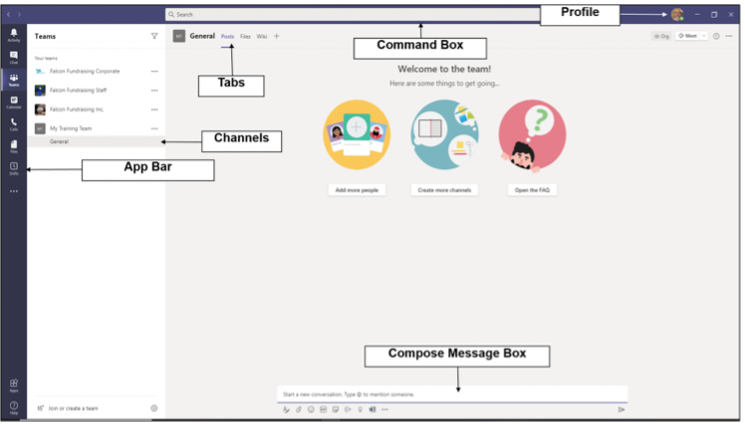
App Bar: Located on the far left Contains icons for Activity, Chat, Teams, Calendar, Calls, and Files
...