
...
- Left Sidebar: Contains the App Bar and the Teams Bar
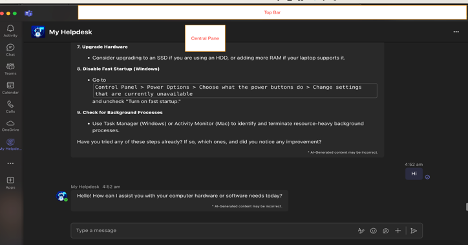
- Central Pane: Displays the content of your selected tab
- App Bar: Located on the far left Contains icons for Activity, Chat, Teams, Calendar, Calls, and Files
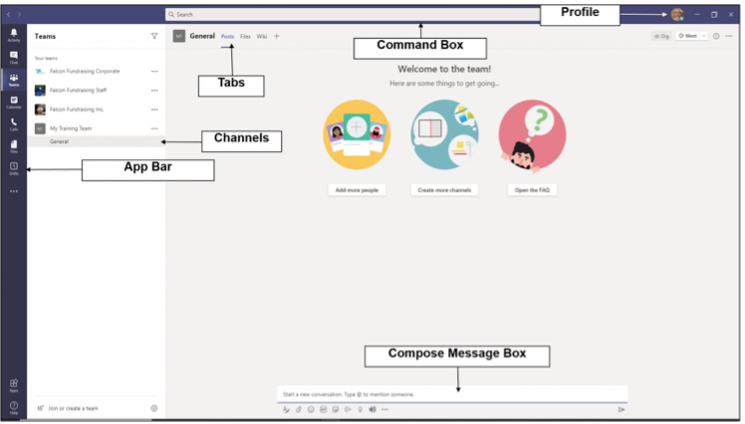
- Teams Bar: Lists all your teams and channels, Allows quick navigation between different workspaces
- Central Pane: The main working area where conversations, files, and other content are displayed
- Top Bar: Contains the search box, command box, and profile picture, quick access to settings and commands
Customizing Profile
Personalizing your profile helps teammates identify you and adds a personal touch to your interactions.
Click on your profile picture in the top right corner
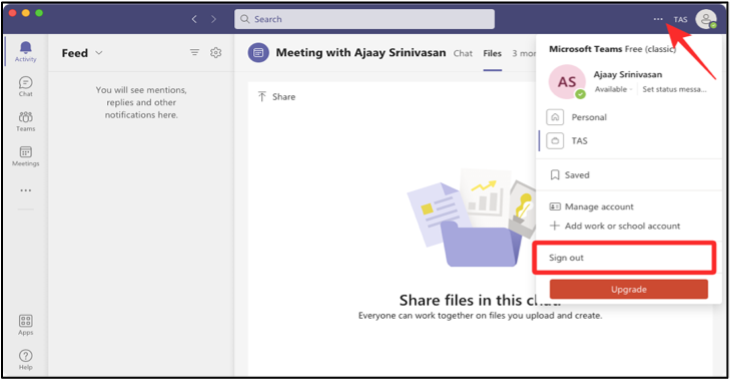
Click on “View account” which will take you to browser and you are able to modify Password and change security info. Please reach out to HR if you require changes in Location, Company, Job Title etc. in your profile.
...