
...
- Microsoft Teams
- Purpose: Designed for workplace collaboration and communication
- Target Users: Businesses and organizations of all sizes
- Purpose: Originally for personal messaging, with some business features added
- Target Users: Primarily individuals, with a separate WhatsApp Business app
Detailed Comparison
|
Key Advantages of Microsoft Teams
...
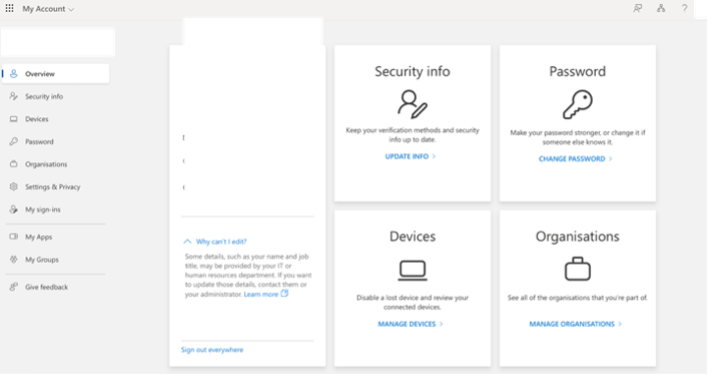
- Click on “View account” which will take you to browser and you are able to modify Password and change security info.
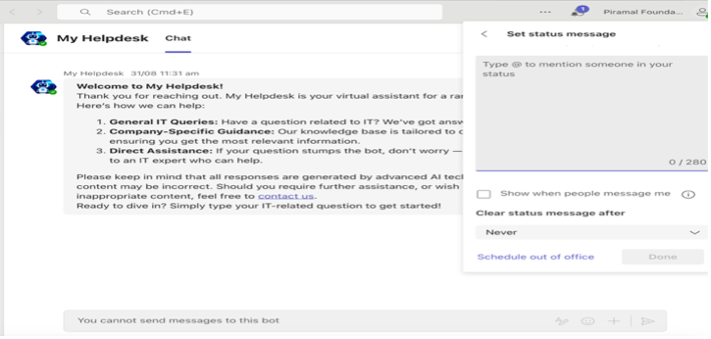
- Set Status Message
Best Practices for profile: -
- Use a clear, professional profile picture
- Ensure your display name is easily recognizable
- Keep your job title and department up to date
...
In summary, channels in Microsoft Teams are the foundation for collaboration, organization, and communication within a team. They help keep discussions focused, make resources easily accessible, and integrate various tools and apps to enhance team productivity.
Creating a New Team
Teams are the foundation of collaboration in Microsoft Teams. Here’s how to create one:
...
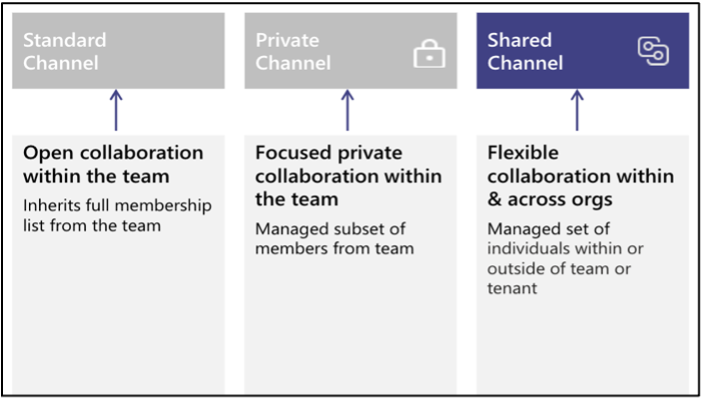
- Key Differences Between Shared, Private, and Standard Channels
Communication
The Chat feature in Teams allows for quick, direct communication with individuals or groups.
...
- Analytics and Insights
- Personal productivity insights
- Team collaboration analytics
Chat
Click the “New chat” button at the top of the chat list, Type the name(s) of the person or people you want to chat with
...
Sharing Files in a Chat or Channel
- Click the attachment icon (Attach File) in the compose box
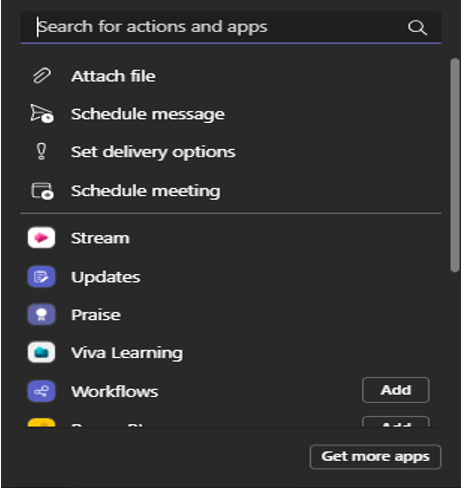
- Choose the file source (recent, OneDrive, or upload from your device), Select the file and click “Share” to share a file
...