...
Teams allow real-time co-authoring of Microsoft 365 documents.
To co-author:
- Share a document in a chat or channel:
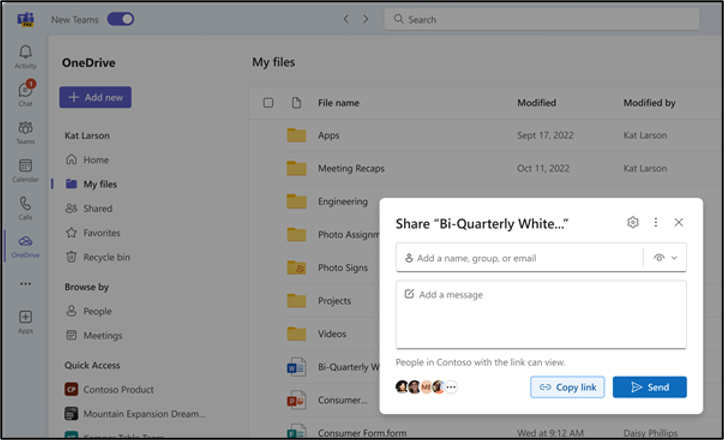
- Grant Edit Access
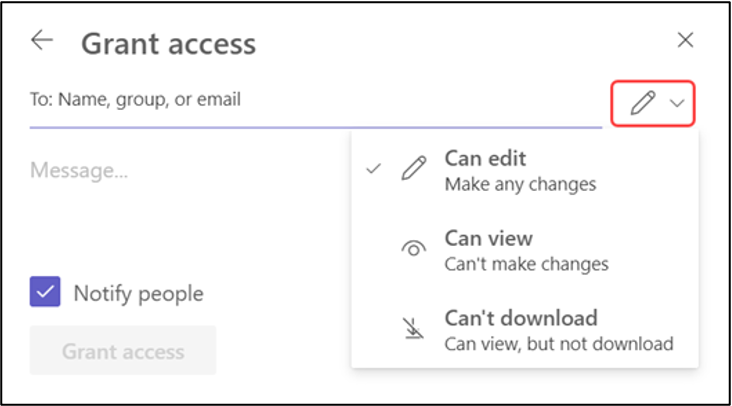
...
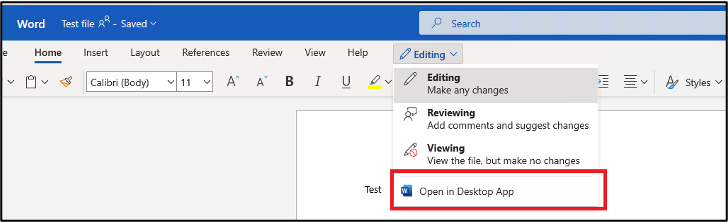
- Click on the document to open it, choose “Edit in Teams” for basic editing or “Open in App” for full functionality
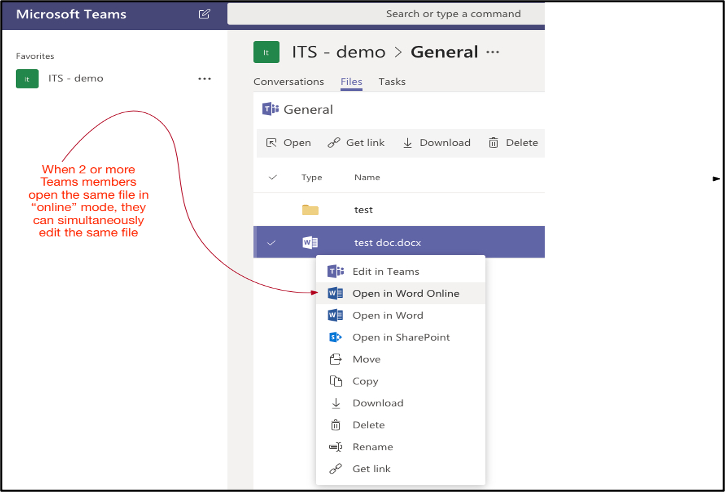
- Multiple team members can now edit simultaneously
Best Practices for File Collaboration: -
- Use descriptive file names
- Utilize version history for important documents
- Communicate with co-authors using comments or the chat feature
...
Advanced Features
...
Using Apps and Integrations
Teams can be customized with various apps and integrations to enhance productivity.
To add an app:
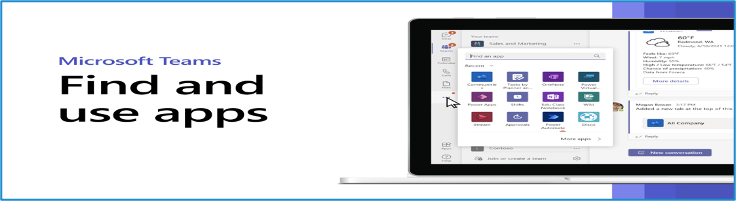
- Click the “Apps” icon in the App Bar
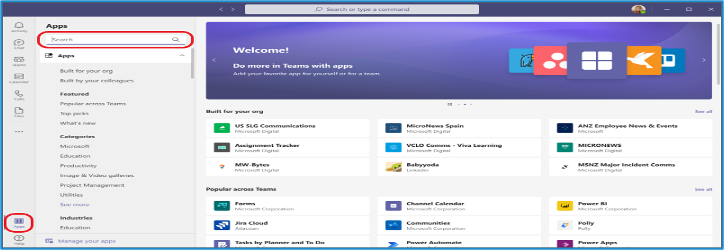
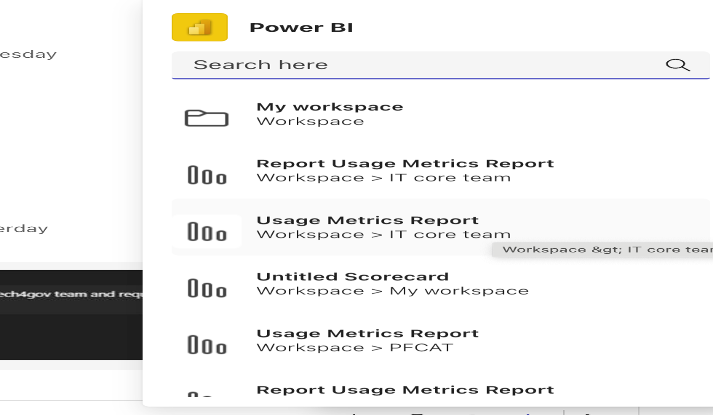
- Browse or search for the desired app
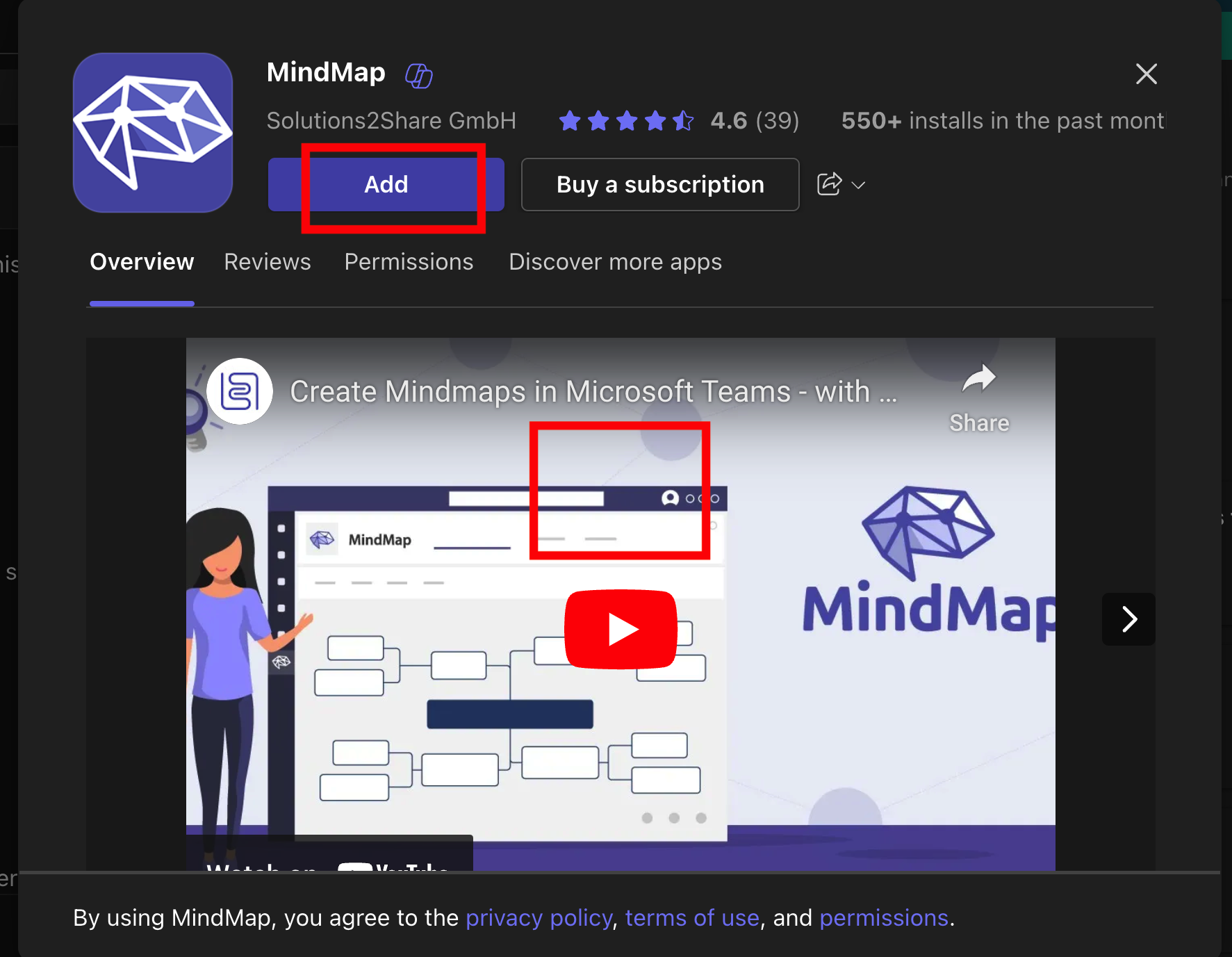
- Click on the app and then “Add” to install it
...
Using Apps in Chats and Channels
Many apps can be used directly within chats and channels.
To use an app in a conversation:
- Click the “…” or ‘+’ beside the compose box
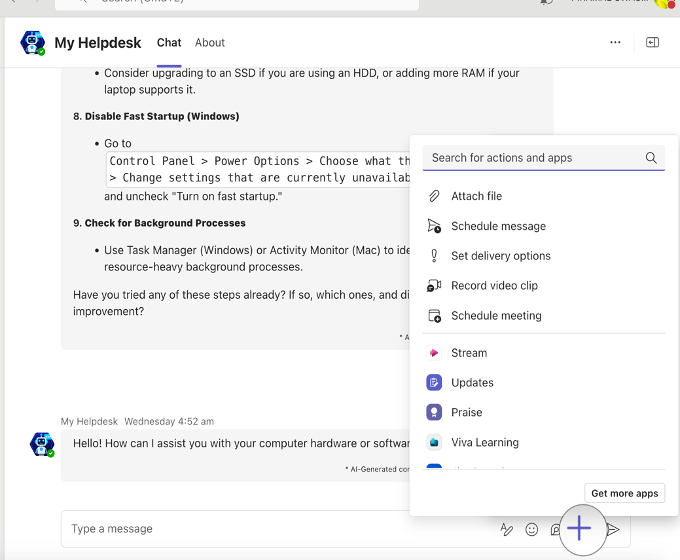
- Select the app you want to use
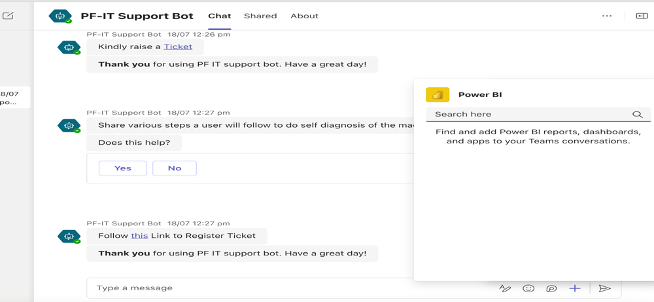
- Follow the app’s interface to create content or take actions
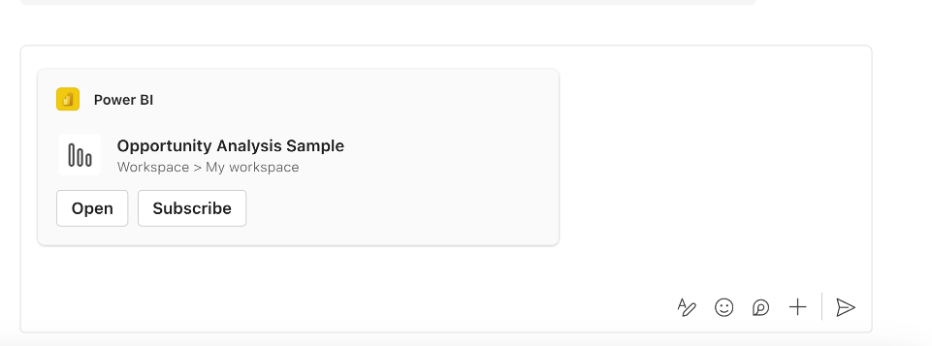
- The app’s output will appear in your conversation
Popular Types of Teams Apps: - Project management tools - Polls and surveys - Workflow automation - External service integrations (e.g., CRM systems, Jira, Confluence, My Helpdesk)
...
FAQs
...
General Questions
Q1: What is Microsoft Teams?
...
A: Microsoft Teams has both free and paid versions. The free version offers core features, while paid versions (part of Microsoft 365 subscriptions Piramal Foundation entities have) provide additional features and integration with other Microsoft tools.
...
Account and Profile
Q4: How do I change my profile picture in Teams?
A: Click on your profile icon in the top right corner, select “Manage account,” then “Change photo.” You can upload a new image or take a photo using your device’s camera.
...
Teams and Channels
Q5: What’s the difference between a team and a channel in Microsoft Teams?
...
A: Teams show receipts in chats. You’ll see a small icon appear in the corner of your message once it’s been read. Note that read receipts can be turned off in settings.
...
File Sharing and Collaboration
Q11: Where are my files stored in Teams?
...
A: During a meeting, click the “Share content” button (it looks like a rectangle with an arrow pointing up). You can choose to share your entire screen, a specific window, or a PowerPoint file.
...
Apps and Integrations
Q14: Can I add other apps to Microsoft Teams?
...
A: The Tasks app in Teams combines personal tasks from To Do and team tasks from Planner. You can access it from the left sidebar. Here, you can create, assign, and track tasks for yourself and your team.
...
Troubleshooting
Q16: What should I do if I’m having audio/video issues in a Teams meeting?
...
If you’re experiencing issues, Connect with IT Helpdesk of Piramal Foundation
Portal : https://support.piramalfoundation.org
Email : it.helpdesk@piramalfoundation.org