
...
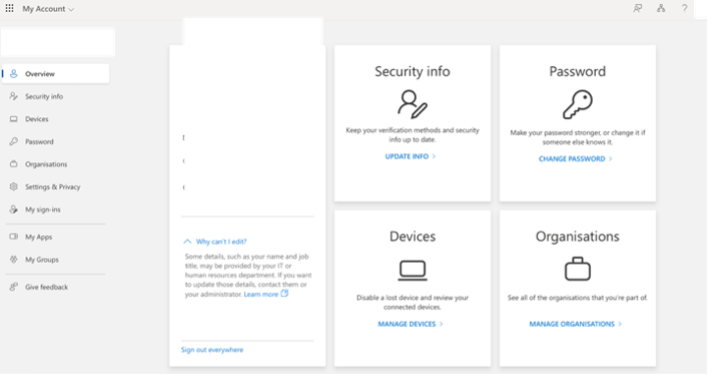
- Click on “View account” which will take you to browser and you are able to modify Password and change security info.
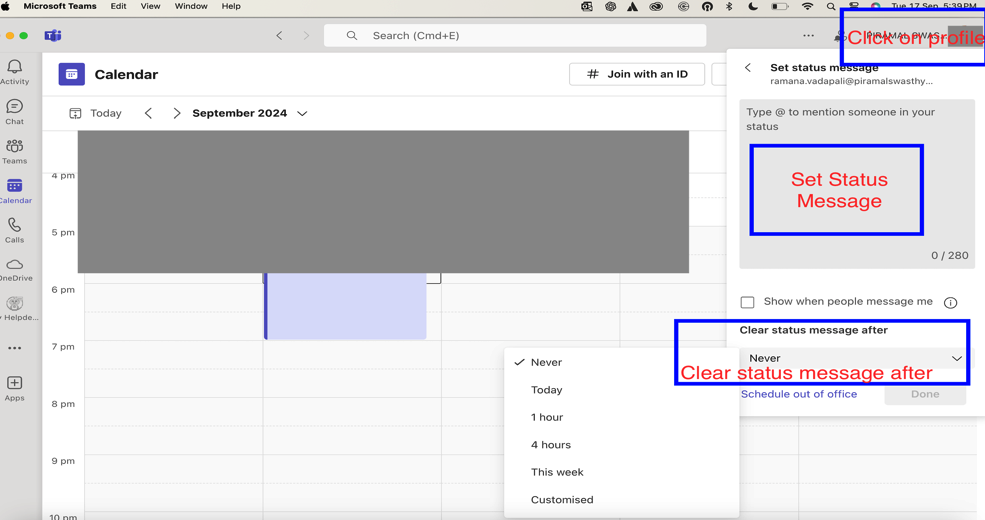
- Set Status Message
Best Practices for profile: -
- Use a clear, professional profile picture
- Ensure your display name is easily recognizable
- Keep your job title and department up to date
...
Teams and Channels
Channels
...
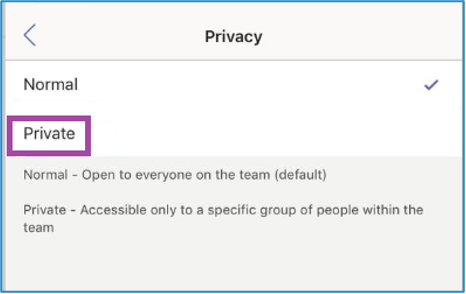
- Choose privacy settings (Standard or Private) [prefer selecting private channel if it’s not for entire organization
Best Practices: -
- Use clear, descriptive names
- Avoid creating too many channels
- Consider using private channels for sensitive discussions
...
Creating Shared Channels Within a Team
...
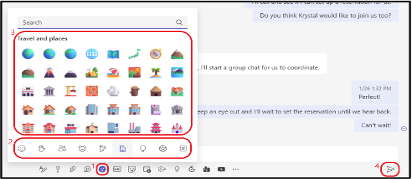
Compose your message in the box at the bottom of the screen
Best Practices for Chat in Microsoft Teams: -
- Use Channels for Team Conversations: For structured team-wide communication, use channels instead of group chats.
- Keep Conversations Organized: Use threads in channels and reply to specific messages in group chats to maintain context.
- Leverage Integrations: Utilize apps and bots in chats to automate workflows, assign tasks, and improve collaboration.
- Stay On Topic: For quick, direct conversations, keep personal or non-work-related chats separate to maintain professionalism in the workspace.
...
Meetings
Microsoft Teams provides robust features for conducting virtual meetings, from quick check-ins to large presentations.
...
- Raise your hand for any queries
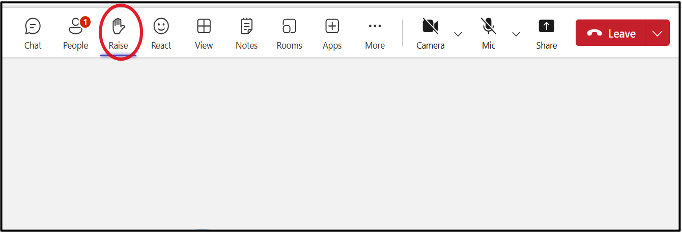
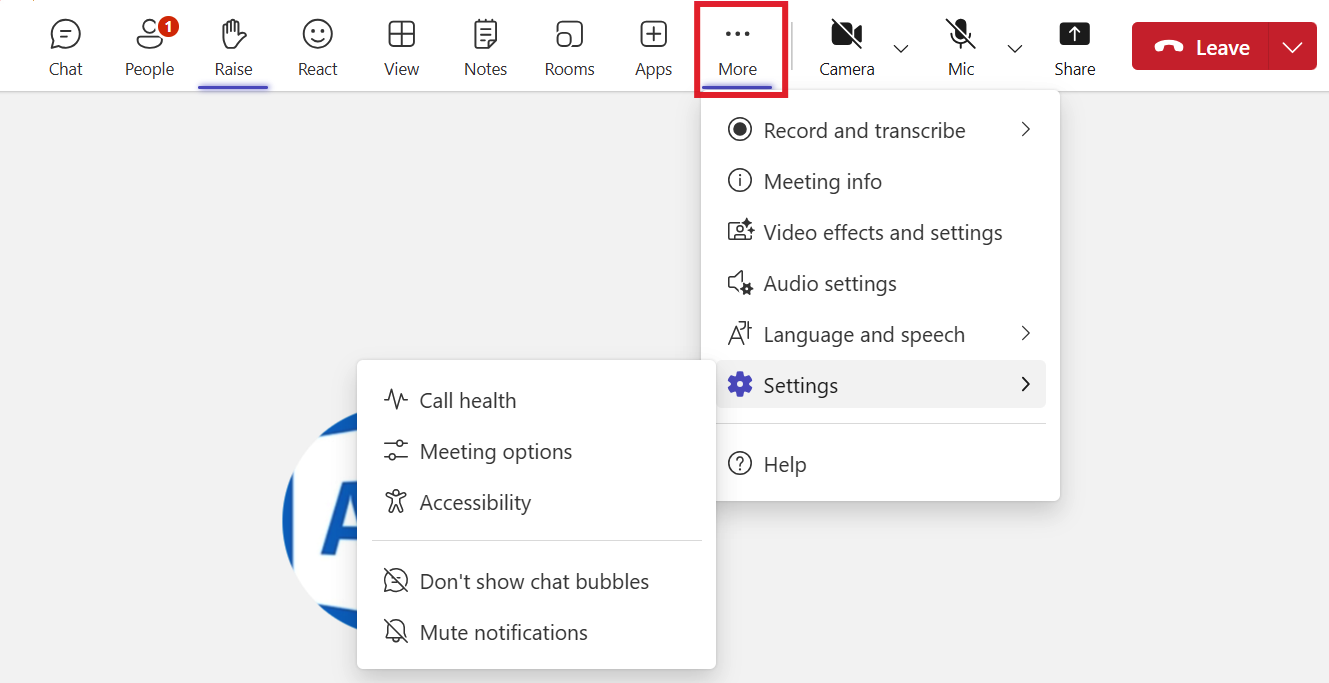
- More options (…)
Best Practices for Meetings: -
- Test your audio and video before joining
- Use background blur or virtual backgrounds in distracting environments
- Mute your microphone when not speaking
- Use the raise hand feature to indicate you want to speak
...
File Sharing and Collaboration
...
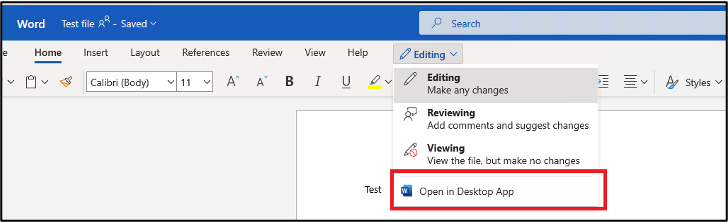
- Multiple team members can now edit simultaneously
Best Practices for File Collaboration: -
- Use descriptive file names
- Utilize version history for important documents
- Communicate with co-authors using comments or the chat feature
...
Advanced Features
Using Apps and Integrations
...
- The app’s output will appear in your conversation
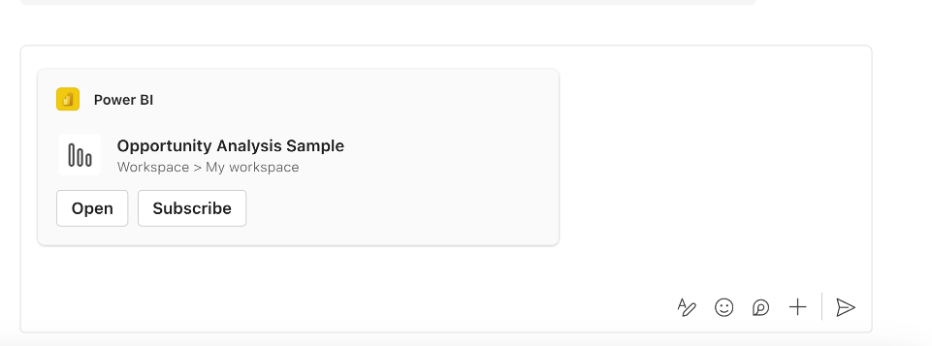
Popular Types of Teams Apps: - Project management tools - Polls and surveys - Workflow automation - External service integrations (e.g., Jira, Confluence, My Helpdesk)
...
FAQs
General Questions
Q1: What is Microsoft Teams?
...
After deleting the contents, restart Teams.
...
If you’re experiencing issues, Connect with IT Helpdesk of Piramal Foundation
Portal : https://support.piramalfoundation.org
...