
Table of Contents outline true style none separator pipebraces
...
About Microsoft Teams
Microsoft Teams has become a central hub for all business communication within our organizations, streamlining collaboration and enhancing productivity. With features like real-time chat, audio and video conferencing, file sharing, and integration with other Microsoft 365 applications, Teams enables seamless communication between departments and remote workers. It ensures that employees can easily collaborate, share information, and stay connected, regardless of their location.
...
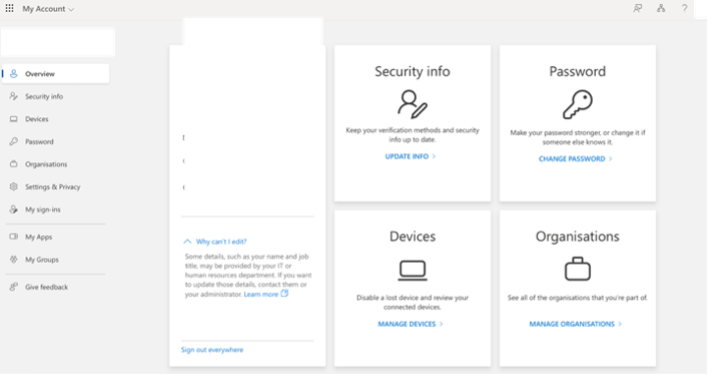
- Click on “View account” which will take you to browser and you are able to modify Password and change security info.
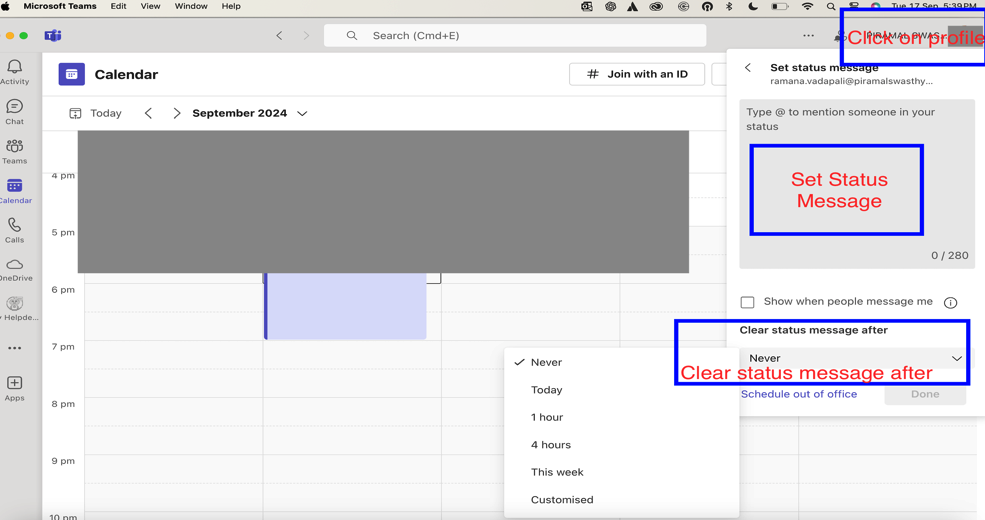
- Set Status Message
Best Practices for profile: -
- Use a clear, professional profile picture
- Ensure your display name is easily recognizable
- Keep your job title and department up to date
...
Teams and Channels
Channels
...
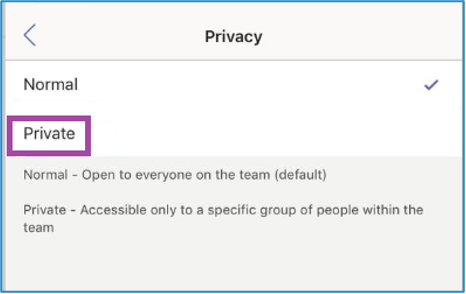
- Choose privacy settings (Standard or Private) [prefer selecting private channel if it’s not for entire organization
Best Practices: -
- Use clear, descriptive names
- Avoid creating too many channels
- Consider using private channels for sensitive discussions
...
Creating Shared Channels Within a Team
...
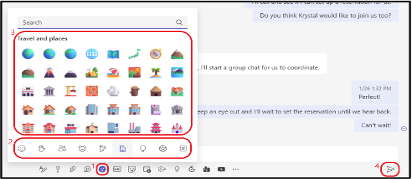
Compose your message in the box at the bottom of the screen
Best Practices for Chat in Microsoft Teams: -
- Use Channels for Team Conversations: For structured team-wide communication, use channels instead of group chats.
- Keep Conversations Organized: Use threads in channels and reply to specific messages in group chats to maintain context.
- Leverage Integrations: Utilize apps and bots in chats to automate workflows, assign tasks, and improve collaboration.
- Stay On Topic: For quick, direct conversations, keep personal or non-work-related chats separate to maintain professionalism in the workspace.
...
Meetings
Microsoft Teams provides robust features for conducting virtual meetings, from quick check-ins to large presentations.
...
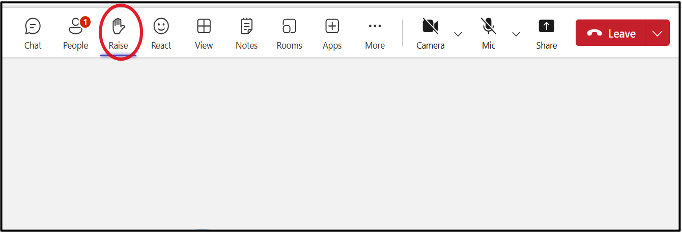
- Raise your hand for any queries
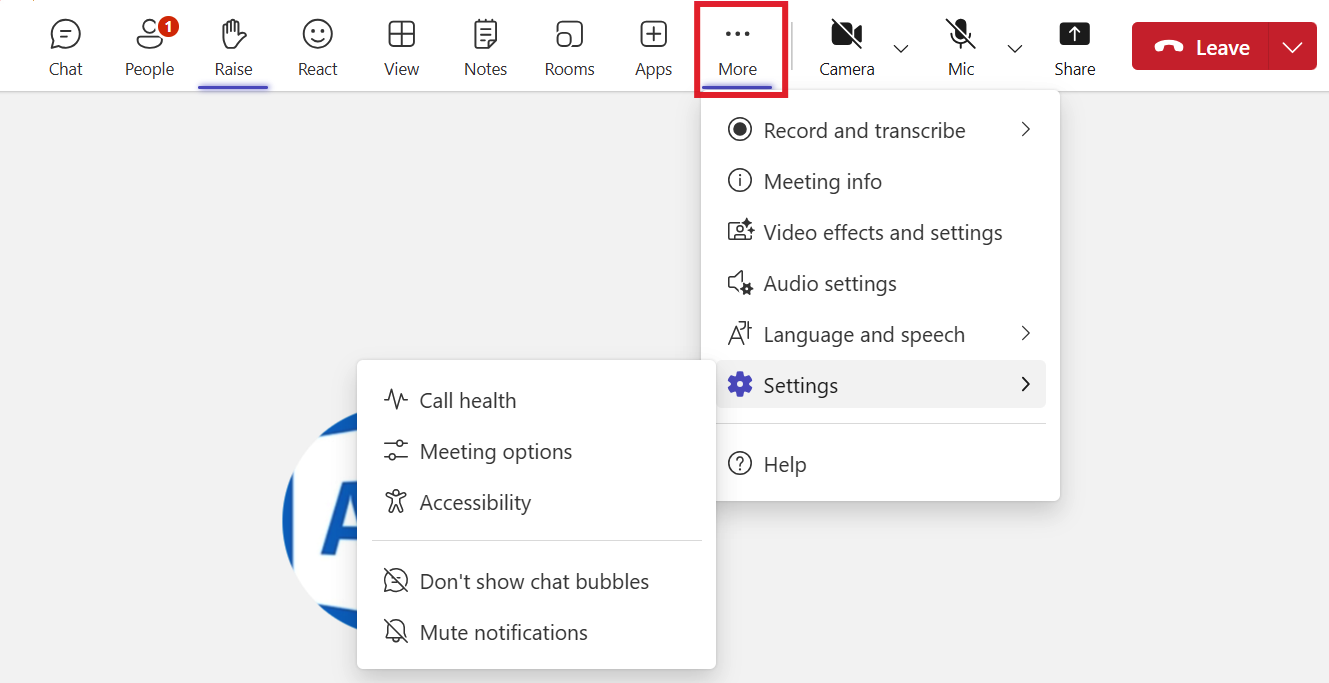
- More options (…)
Best Practices for Meetings: -
- Test your audio and video before joining
- Use background blur or virtual backgrounds in distracting environments
- Mute your microphone when not speaking
- Use the raise hand feature to indicate you want to speak
...
File Sharing and Collaboration
...
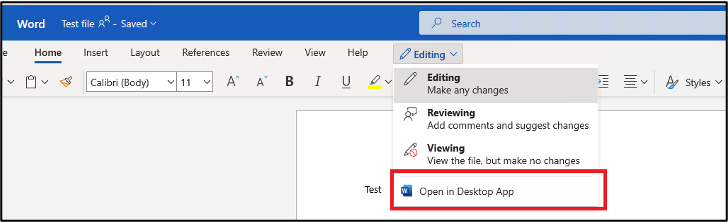
- Multiple team members can now edit simultaneously
Best Practices for File Collaboration: -
- Use descriptive file names
- Utilize version history for important documents
- Communicate with co-authors using comments or the chat feature
...
Advanced Features
Using Apps and Integrations
...
- The app’s output will appear in your conversation
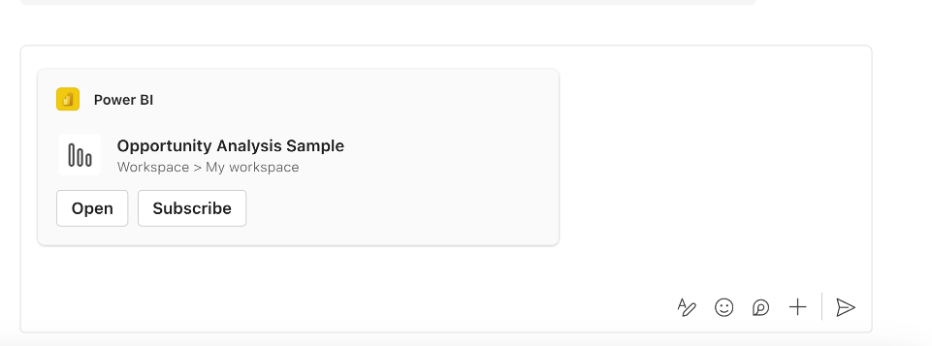
Popular Types of Teams Apps: - Project management tools - Polls and surveys - Workflow automation - External service integrations (e.g., Jira, Confluence, My Helpdesk)
...
FAQs
General Questions
Q1: What is Microsoft Teams?
...
After deleting the contents, restart Teams.
...
If you’re experiencing issues, Connect with IT Helpdesk of Piramal Foundation
Portal : https://support.piramalfoundation.org
...