Business Requirements
Document (BRD)
HWC, Telemedicine and MMU
Version 1.0
Document Revision History
Date | Version Number | Author | Reviewed By | Document change reference |
02/02/2024 | 1.0 | Rohit Jayaraman | Shashank kharkwal | Admin configurations for lab test and lab results |
Table of Contents
1.3.1 Provide File Upload option in Admin module 4
1.3.2 Addition of Remarks section in Component Master under Admin Module. 5
1.3.3 In Admin Module Provide Edit option for Lab Test in Admin Module. 6
1.3.4 Introduce Add Attributes field for all the fields in create component page. 7
The purpose of this document is to capture and describe business and application requirements of change request which needs to be incorporated in MMU Application.
NOTE: This version of BRD / SRS is subject to changes depending on the feedback provided during the course of document evaluations by various stakeholders. A final version of BRD will be shared once there is an official sign-off by the stakeholders on agreeing to freeze the requirements.
Piramal Swasthya Management and Research Institute (PSMRI), an initiative under the aegis of Piramal Foundation. Is one of the largest not-for-profit organizations in India. Piramal Swasthya is contributing with its experience and expertise of building innovative solutions that impact at scale.
Piramal Swasthya is focused on bridging the public healthcare gaps by supplementing and complementing the Government of India’s vision to meet Universal Health Coverage. In the primary public healthcare space with a focus on Maternal, Child and Adolescent Health and Non-communicable Diseases. Piramal Swasthya has more than a decade-long experience in operating several healthcare innovations at scale, which are addressing the primary healthcare needs of the most underserved and marginalized populations across India. Piramal Swasthya is operational in 21 States in India through 35 innovative public healthcare delivery programs and has served more than 112 million beneficiaries so far.
One such innovation is AMRIT (Accessible Medical Records via Integrated Technologies) which is a digital health platform developed by Piramal Swasthya that stores electronic health records of beneficiaries for the use of public primary healthcare service delivery and decision-making. The platform enables the connection between beneficiaries, health facilities, and frontline workers in an integrated ecosystem through technology.
Services and features under AMRIT Platform:
HWC Application: A comprehensive application with 12 Service packages.
MMU Application: Offline and Online Application to support operations in outreach programs.
HIHL Application: Helpline CRM to support services like 104, 1097, MCTS and ECD with inbound and outbound facility.
Telemedicine Solution: Video consulting facility.
Smart Phone Applications: SAKHI/ Utprerona Android Mobile App ASHAs.
Point of Care Device: AMRIT is integrated with PoCT devices like Fetosense and Healthcube etc.
ABDM compliant: and AMRIT is integrated with ABDM for ABHA with all three (M1, M2, M3) milestones.
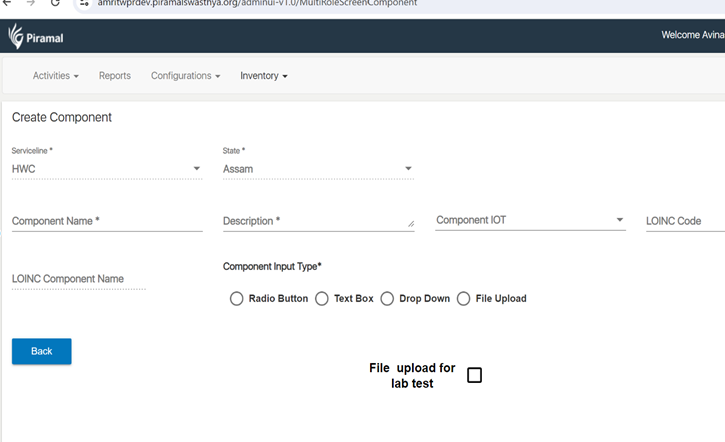
Below is the screenshot where the File upload option should be added
The Existing File upload functionality should work for whatever component selected in components Name. Sample types of files can be uploaded are below (add more as per current upload function)
Once the "File Upload" option is created in the Admin Module, the lab technician should be able to view the File Upload option in the Lab Technician module within the HWC, Telemedicine, as well as MMU applications. The screenshot below illustrates where the File Upload option should appear in the Lab Technician Module.


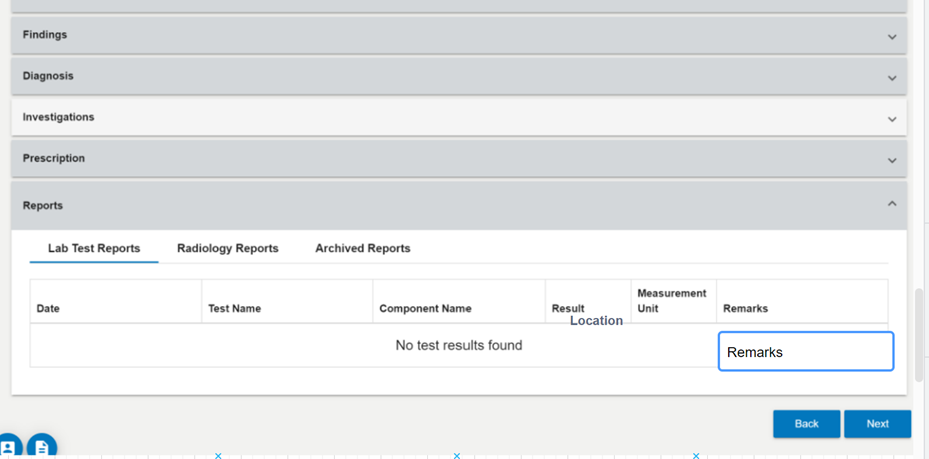
This addition is essential to enable doctors to review lab reports uploaded by lab technicians and update their remarks under the Lab Report section in the Doctor module within HWC, MMU, and Telemedicine applications.
Please refer to the screenshot below for clarification. The same Remarks should appear in the Lab report section of the Doctor Module in HWC, MMU and telemedicine application .

After adding the Remarks section in the Admin Module, the same information should be reflected in the Lab Reports section under the Doctor Module. Please refer to the screenshot below for clarification. The Remarks should be displayed as a text field beneath the existing Remarks section in the Lab Reports section.
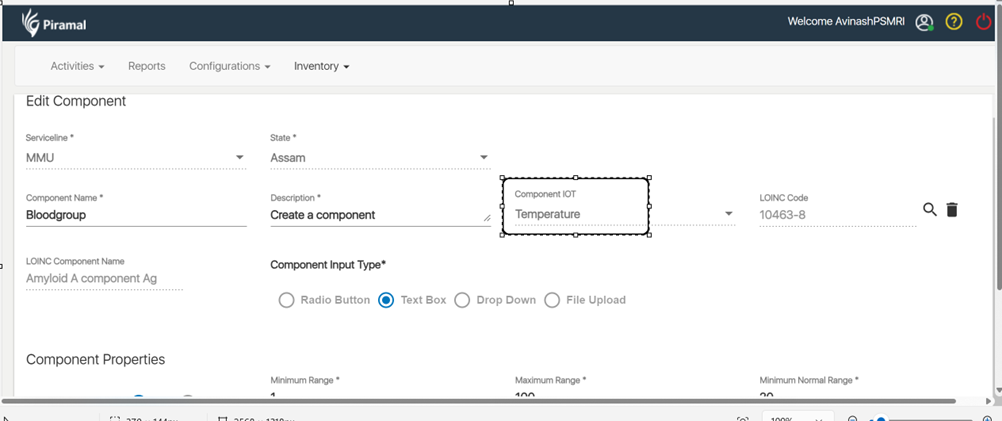
In the Admin module, introduce a new feature in the below mentioned field

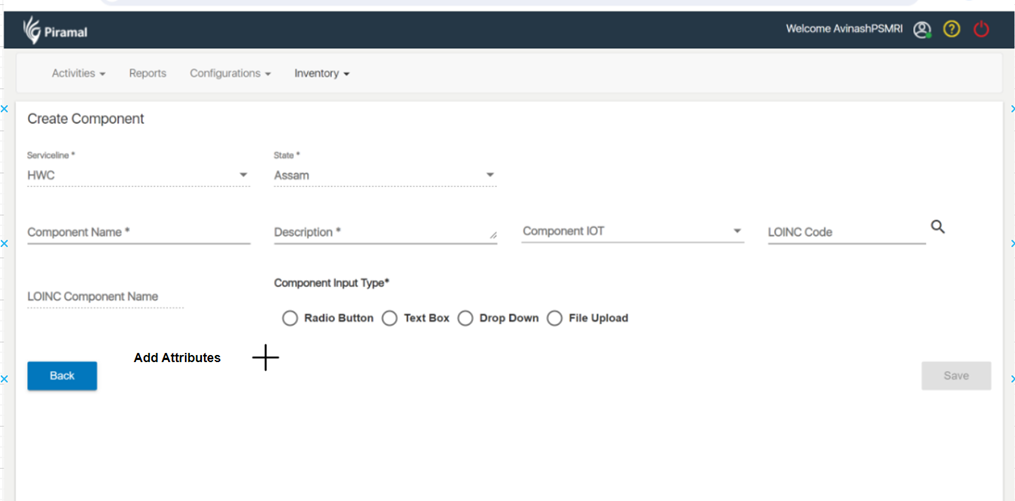
that allows users to seamlessly add multiple investigations or lab tests simultaneously. Users can simply click on the '+' sign to effortlessly include multiple attributes, as depicted in the reference screenshot below.